

How to Choose a Phone That Makes Sharing Files Easier
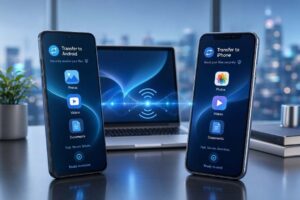 Choosing a new smartphone involves more than comparing cameras, screen sizes, and battery life. File transfer is another important feature that deserves attention. Whether you regularly share photos, move documents between devices, or transfer data to a new phone, the process should be fast, simple, and reliable.
When people compare cellphones through CompareCelular Brasil, they often focus on storage capacity and processing power. However, the way a phone handles file transfers can make a significant difference in everyday use. A device with excellent specifications may still be inconvenient if transferring files requires extra applications, complicated settings, or lengthy waiting times.
Modern smartphones offer several ways to exchange files, including Bluetooth, Wi-Fi, USB connections, and cloud storage. Understanding these options can help you select a phone that meets your needs without spending money on features you rarely use.
Why File Transfer Matters When Comparing Cellphones
File transfer has become an essential part of smartphone use. People rely on their phones for work, entertainment, education, and communication. As a result, smartphones often contain thousands of photos, videos, documents, and other important files.
When comparing cellphones, it is useful to consider how easily each device can move these files. Some smartphones offer convenient wireless sharing features, while others provide faster wired connections. The best choice depends on the devices you use and how frequently you transfer large amounts of data.
For example, someone who regularly records high-resolution videos may need a smartphone with fast USB transfer speeds. Meanwhile, a student who shares presentations and documents may benefit more from reliable wireless sharing.
Operating system compatibility is another consideration. Android smartphones and iPhones use different file management systems. Both offer convenient sharing methods, but their compatibility with computers and other smartphones can vary.
Apple devices use AirDrop to transfer files between supported Apple products. This feature allows users to share photos, documents, and videos wirelessly without uploading them to the internet. It works particularly well for people who already use an iPhone, iPad, or Mac.
Many Android devices support Quick Share, which allows users to exchange files with compatible devices nearby. Depending on the devices and software involved, sharing may also be possible with supported computers and other platforms.
These differences highlight why comparing cellphones should involve more than reviewing their technical specifications. The overall experience matters just as much as the features listed on a product page.
Comparing Cellphones Based on File Transfer Features
One of the easiest ways to evaluate smartphones is to examine the file transfer technologies they support. Different methods offer different advantages, particularly when it comes to speed, convenience, and compatibility.
Bluetooth remains a common feature across modern smartphones. It allows devices to establish wireless connections without requiring cables. However, traditional Bluetooth file transfers can be relatively slow, especially when sharing large videos or multiple files.
Wi-Fi-based sharing methods are generally more suitable for transferring larger files. Technologies such as AirDrop and Quick Share can use fast local wireless connections to move data between compatible devices.
USB connectivity is another important factor. Most modern smartphones use USB-C, but having the same connector does not guarantee identical transfer speeds. Some phones support only USB 2.0 data speeds, while others offer faster USB 3.x connections.
This difference becomes noticeable when transferring several gigabytes of video footage to a computer. A smartphone with faster USB data support can reduce waiting time, provided the cable and receiving device support those speeds.
Storage capacity also plays an important role when comparing cellphones. A smartphone with 128GB of storage may be enough for everyday communication and occasional photography. However, users who regularly capture high-resolution videos or download large files may benefit from 256GB or more.
It is also important to distinguish storage capacity from transfer speed. A phone with more storage does not necessarily transfer files faster. Internal storage performance, USB specifications, wireless connectivity, and software all influence the experience.
For people who frequently move files between smartphones and computers, compatibility should be a priority. Before buying, check whether the device supports convenient file management on your preferred operating system.
Cloud services provide another useful option. Google Drive, iCloud Drive, OneDrive, and similar platforms allow users to access files from different devices. They are particularly helpful when transferring documents between smartphones and computers that are not physically close to each other.
However, cloud transfers depend on internet access, upload speeds, available storage, and account settings. Users with limited mobile data may prefer direct wireless sharing or USB connections.
How to Choose the Right Smartphone for Easy File Transfers
The best smartphone for file transfers is not necessarily the most expensive model. Instead, it should offer the right combination of connectivity, storage, software compatibility, and everyday convenience.
For Apple users, an iPhone can be a practical choice because of its integration with other Apple devices. AirDrop makes it easy to exchange files between supported iPhones, iPads, and Macs. This can be especially useful for professionals who frequently move photos and documents between their devices.
Android smartphones offer flexibility, particularly for people who use Windows computers. Quick Share supports compatible Android devices, Chromebooks, and Windows PCs. Selected Android models also support direct sharing with Apple devices through AirDrop compatibility.
When comparing cellphones, consider your daily activities. Photographers and video creators may benefit from fast wired transfers and generous storage. Office workers may prefer reliable cloud integration, while students might prioritise affordable smartphones with convenient wireless sharing.
Security should also influence your decision. File transfer methods should protect personal information and provide control over who can send or receive files. Keeping your phone updated, checking recipient details, and avoiding unfamiliar transfer requests can help protect your information.
Before purchasing a smartphone, review its official specifications and confirm its supported file transfer features. Pay particular attention to USB data speeds, wireless compatibility, storage options, and operating system support.
Comparing cellphones should focus on how well each device fits your routine. A smartphone that makes file sharing effortless can save time, improve productivity, and reduce unnecessary frustration.
By considering file transfer capabilities alongside traditional specifications, you can make a more informed decision and choose a device that remains useful for years to come.